Download Counter-Strike 1.6
Clean cs 1.6 client, protected from changing, new gsclient+ with automatic updates.Many servers, anti-cheat, avatars, authorization, new crosshairs and other.. for details scroll down
downloaded:
0
client last "update": 10422 May 7 2025




What is different from other clients?
- working with steam (need purchased cs 1.6 game on steam)
- added resolution change without exiting game
- we not use built-in "viruses" or cheats
- you can set own avatar
- 100 % protected from server side changing (protector)
- blocking server side commands (servers will cant change config)
- increased download speed from servers
- fixed many bugs
- client optimization, no lags during the game
- STEAM HD models
- list of many servers
- game auto-updates, as on steam
- working on Windows XP/7/8/10/11
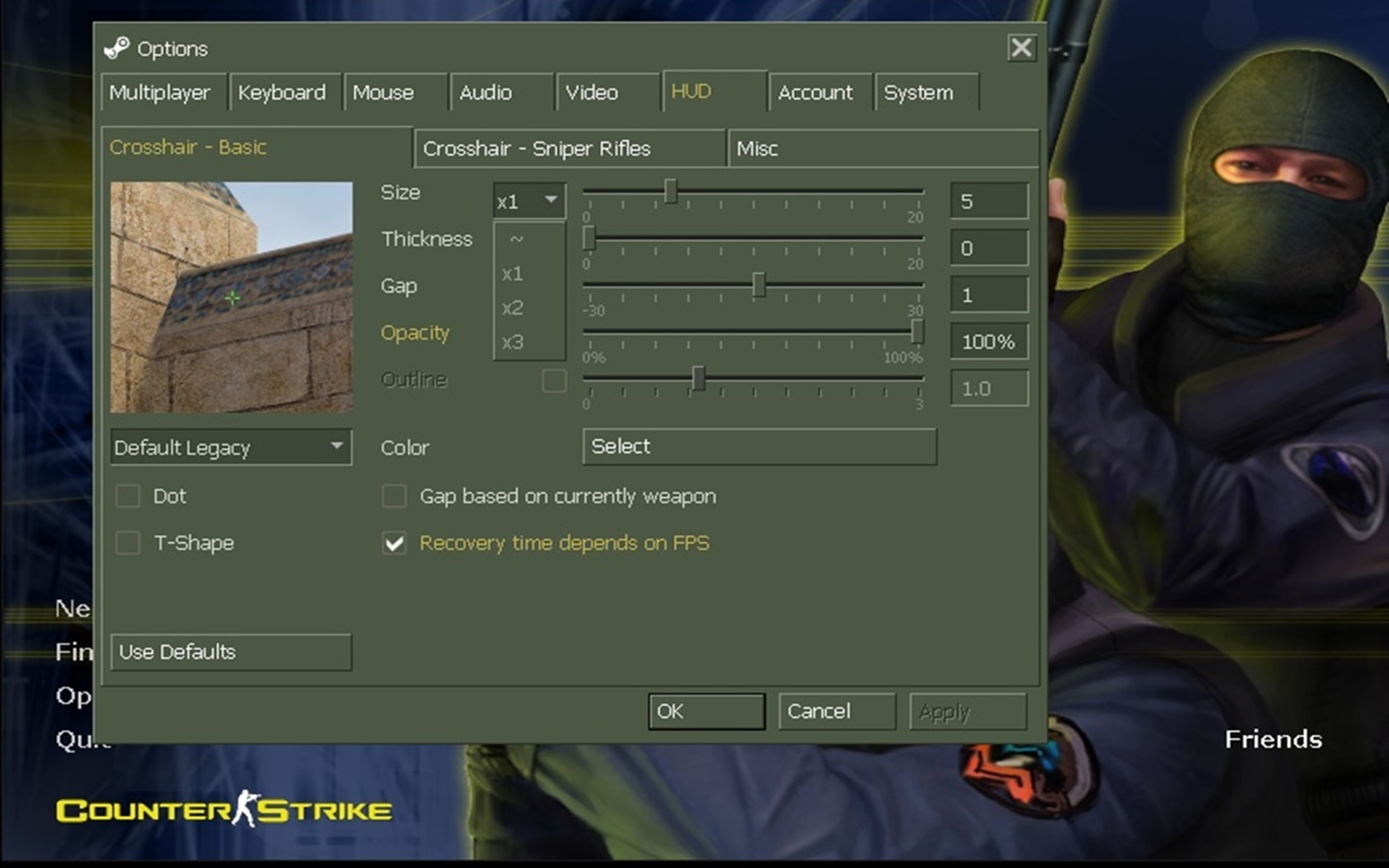
- new crosshair configuration, changing like you want
- colored text in console
- improved voice chat quality
- account creation, authorization
- bots with better skills
- bots in DeathMatch mode
- built-in anti-cheat in client
- you can add friends (also need create an account from the client)
- files download to cstrike_downloads folder
- screens and demos are saved cstrike_downloads folder
- window minimize and maximize speed
- windowed mode is supported (without bugs)
- 100% favorites and history work tabs
- fixed chat position when hiding radar
- SteamID working generation, no longer changes by itself
- new net_graph (if it bothers you, use 3)
- added smoke color change
- if you play without steam, you can see steam players in tab
- setinfo _pw added in Option (if you have admin privileges)
- If the aim doesn’t disappear while shooting, set
cl_crosshairusealpha 1 cl_crosshairscale 1(x1) small,cl_crosshairscale 2(x2) medium,cl_crosshairscale 3(x3) largehud_deathnotice_iconshd 0– standard classic small kill iconshud_deathnotice_style 0– standard style death notificationnet_graphheight 1– lowers the net graph display to the bottom by default- If the client is not showing, correct the time via Control Panel → Date and Time → Internet Time → Change settings → Update now
system requirements
minimum
- system : Windows XP or new
- processor : 500 MHz
- ram : 96 mb
- hdd : 500 mb
- video : 16 mb
recommended
- system : Windows XP/7/8/10/11
- processor : 2 GHz or better
- ram : 1+ gb
- hdd : 500 mb
- video : 128+ mb
downloaded: 0